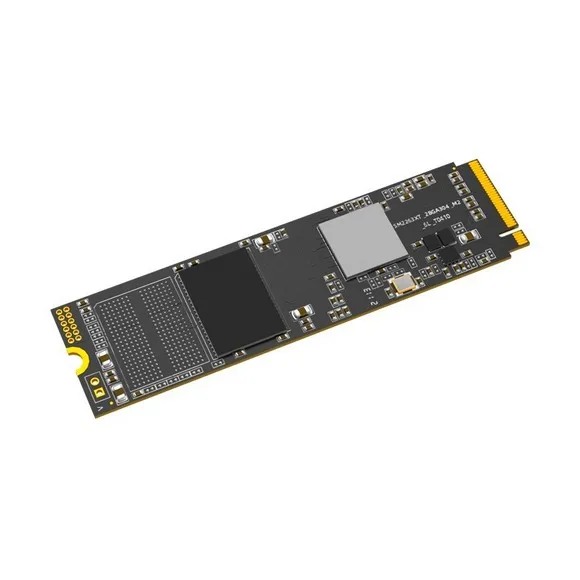
M.2 NVMe drives that slot into a notebook board, stocked in 256GB and 512GB from Ease, for anyone replacing a slow or cramped drive inside a laptop.
Laptop M.2 NVMe SSD Upgrade
A laptop M.2 NVMe SSD upgrade swaps the drive inside a notebook for a small module that seats on the board and holds down with one screw. People buy from this shelf when a machine still does its job but takes a minute to reach the desktop, or when the drive it shipped with ran out of room.
The stock here comes from Ease, in 256GB and 512GB, both on the NVMe interface. This is a short, focused shelf rather than a wide catalogue, so the choice is capacity rather than brand. Prices sit in a narrow band from entry level through to premium, since one capacity step separates the two options.
Two decisions settle the purchase. Capacity comes first: 256GB holds Windows, an office suite and a working set of documents, while 512GB leaves room for a games install or a photo archive on top of that. Interface comes second. An M.2 slot on a laptop board can be wired for NVMe or for SATA, and an NVMe module needs a slot that speaks NVMe, so read the service manual or pull the existing drive and look at it before you order.
Which capacity suits your machine
Someone moving a laptop off a mechanical drive gains the most from the 256GB module, because leaving spinning platters behind changes boot and load times more than any capacity jump does. A user who edits photos or keeps several projects open on the same machine should take 512GB and skip the shuffle of parking files on an external disk. Desktop builders and anyone whose only free bay is a 2.5 inch one belong in the neighbouring Desktop SSDs and SATA SSDs sections.
Mega Computer stocks these drives at its Karachi showroom, so you can collect one over the counter or have it sent out with nationwide delivery across Pakistan. Payment runs through cash on delivery or online payment. Keep your invoice, since a warranty claim on a storage module starts with proof of purchase.
Most notebooks give you a single M.2 slot, which means the old drive comes out before the new one goes in. Clone the existing system across with an external M.2 enclosure, or run a clean Windows install and restore your files from backup. Take that backup first, and have a small Phillips screwdriver ready for the retaining screw and the base panel.

 EaseEase 2