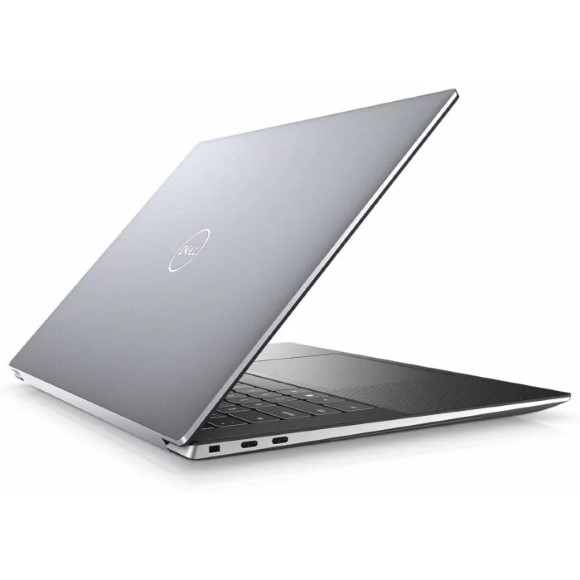
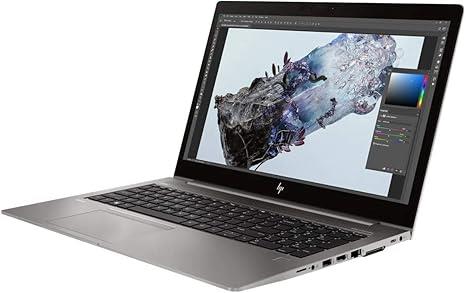
Mobile workstations from Dell and HP with NVIDIA and AMD professional graphics, NVMe SSD storage and FHD panels for CAD, rendering and editing work.
Workstation Laptops
Workstation laptops carry certified professional graphics and the thermal headroom to run CAD, BIM, simulation and video timelines for hours at a stretch. Engineers, architects, animators and post production editors buy them because a consumer notebook stalls once a model or a project file grows past a few gigabytes. The chassis, the cooling and the graphics driver stack are the parts that separate this class from a standard office machine.
The range here is led by Dell and HP, the two makers with the deepest mobile workstation lines. Graphics come from NVIDIA on most units and from AMD on selected HP models, with 4GB of dedicated graphics memory on the configurations listed. Memory sits at 8GB or 16GB depending on the model, and storage runs from 256GB to 512GB on NVMe M.2 SSDs. Panels are FHD, with IPS and 60Hz options across the listings. Prices span entry level through to premium, so a first workstation and a fully specified render machine both sit on this page.
Three decisions shape the buy.
- Start with graphics memory, because 4GB of dedicated VRAM sets the ceiling on viewport model size and on GPU accelerated exports, and no amount of RAM compensates for it.
- Then look at system memory: 8GB handles single application drafting, while 16GB is what keeps a large assembly open alongside a browser and a reference document.
- Storage is the third call. NVMe M.2 drives load project files and scratch data faster than SATA, and the gap between a 256GB and a 512GB drive shows up once render caches and asset libraries land on the same disk. On panels, an IPS FHD screen holds colour at an angle, which matters when a client leans over your shoulder.
Matching the machine to the work
A civil or mechanical engineer running 2D drafting and moderate 3D assemblies is served by an 8GB configuration with a 256GB NVMe SSD. Anyone rendering, editing 4K footage or working in point clouds should move to 16GB with a 512GB drive, since scratch space and memory both run out first on that kind of job. Architecture and design students who need a certified GPU for coursework can start at the affordable end of the range and add external storage later. If your work is spreadsheets, email and browser tools, a standard business notebook makes more sense than a workstation.
Mega Computer keeps a showroom in Karachi where you can inspect a machine before you commit. Warranty terms differ by unit and are stated on each product page, so read that line before checkout. Orders ship with nationwide delivery across Pakistan, and you can settle by cash on delivery or online payment.
One point worth checking at purchase: professional GPUs use a different driver branch from consumer cards, tuned for stability in applications such as CAD and DCC suites rather than for frame rates. If your software vendor publishes a certified hardware list, match your configuration against it before ordering, and ask us to confirm the exact graphics and memory of the unit you are considering.